
Guide
How to Find Gas Station Owners and Business Contacts
Tell branded from independent stations, find the operator behind each site, and build a clean list for your territory.
To find gas station owners, map stations in your territory, then research who operates each site using store names, websites, state business records and questions at the counter.
Start with the free methods below. BusinessLeadSearch finds businesses, with a phone number and street address on every delivered lead, plus website and public email when available. It does not provide owner names or personal contact information.
Need a list instead of researching one station at a time? Search gas stations by city, state, or ZIP code. Start a search
What You're Really Looking For
"Gas station owner" can mean three different things, and it helps to decide which one matters to you:
- The site operator — the business that runs the store and register day to day. This is who buys store products, equipment, and most services.
- A multi-site operator — a company running several stations, often under one parent business name. Decisions may be made at a small head office rather than at each store.
- The fuel supplier or brand — the company whose fuel is sold. It usually does not decide what snacks or services a store buys.
For most sellers, the target is the operator. Your first job is to find every station in your territory; your second is to work out which ones are run by the same business.
Branded vs. Independent Stations
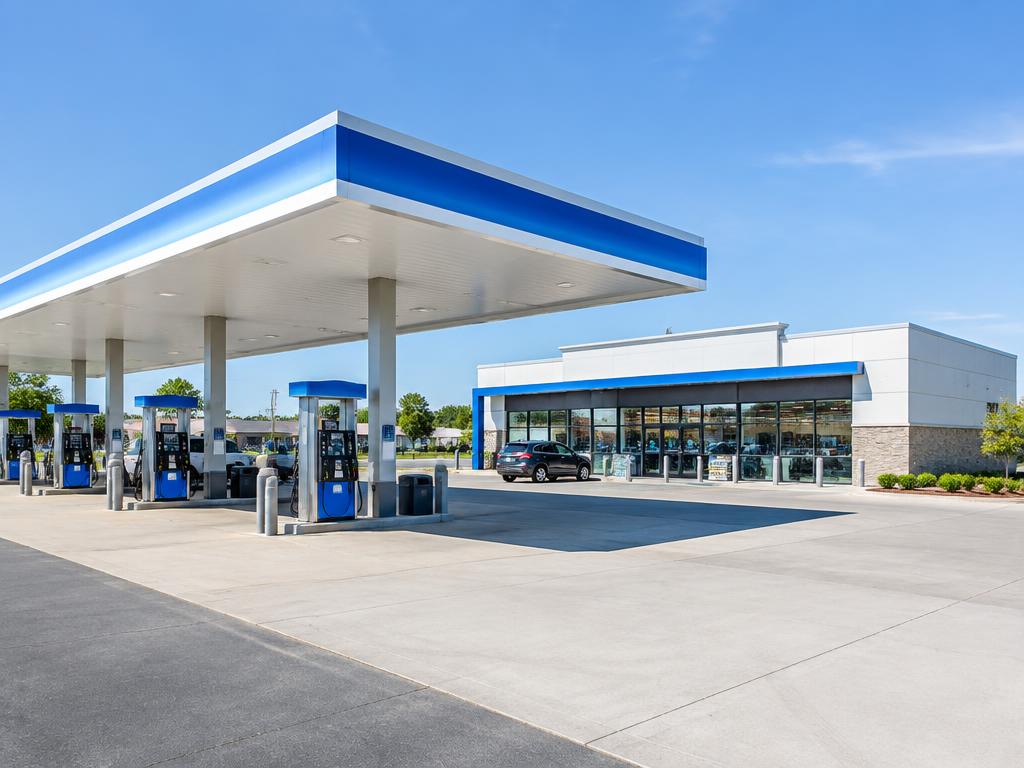
A station flying a major fuel brand is often still independently operated — many branded sites are run by local owners or dealers under a supply agreement, while others are run directly by a larger company.
Unbranded stations are more obviously independent. You usually can't tell which is which from the sign alone, so treat "branded" as a clue, not an answer.
Practical signals that a station is locally operated: a store name that differs from the fuel brand, a local phone number rather than a corporate line, a website or social page that names a family business, or several nearby stations sharing the same store name.
Free Ways to Find Gas Station Owners
1. Map searches by territory
Search a map app for "gas station" across each city or ZIP code you serve. Note the station name, fuel brand, store name, phone number, and address. Zoom in along highways and major intersections — that's where stations cluster.
2. The store's own website and social pages
Independent operators often have a simple website or social page listing their locations. A single page naming five stations tells you they share one decision-maker.
3. Public business registrations
State business-entity search tools let you look up the legal business behind a store name. Results vary by state and often list a registered agent rather than an owner, so use them to confirm a business exists and to group related sites — not as a source of personal contact details.
4. Industry associations and trade shows
State petroleum marketer and convenience store associations run events and publish member information in some cases. They're a good way to meet multi-site operators in person.
5. Visiting the station
The most reliable way to learn who makes decisions is to ask. Staff can usually tell you whether the owner or a manager handles purchasing and when they're typically in.
Inside BusinessLeadSearch · Real screenshot
Narrow the station list before planning visits
The owner’s gas-station workspace shows city, category, status, website and email filters. Use In map view to narrow the list to the area you are reviewing, then export the filtered leads for your next round of calls or visits.
How to Qualify Each Station
- Is it still open? Stations close and rebrand often. Check recent photos, reviews, or call.
- Does it have a store? A fuel-only site with a kiosk is a different prospect than a station with a full convenience store — see our guide to convenience store owners.
- Is it a truck stop or travel center? Those have different buyers and needs; they're covered on our truck stop leads page.
- Who else runs it? Group stations that share a store name or phone number so you don't pitch the same operator five times.
Common Mistakes and False Positives
- Counting a fuel brand's corporate office as the owner of every station carrying its logo.
- Including auto repair shops, car washes, or EV charging-only sites that appear in "gas" searches.
- Listing the same station twice under the fuel brand and the store name.
- Assuming a personal email is findable. Often the best contact is the station's business phone and a visit.
Business Contacts vs. Personal Owner Details
It's worth being clear about what any list can realistically give you. A good gas station list gives you the business: its name, business phone number, street address, and a website or email when the business publishes one. The owner's personal name, cell phone, or personal email is a separate thing — sometimes available through your own research or a conversation, but not something you should expect from a data source.
BusinessLeadSearch works at the business level. Every delivered gas station lead includes a business phone number and street address; websites and emails are included when available. It does not promise owner names or personal contact information.
Inside BusinessLeadSearch · Real screenshot
Inspect the business, then record the outcome
Open a station’s record to review its business fields and location. The Actions panel keeps New, Contacted / No Answer and Responded separate. Update the status after your conversation; the record does not identify who owns the station or prove purchasing interest.
Organizing Your Gas Station List
Sort stations by route or ZIP code so visits are efficient. Tag each one as branded or unbranded, with or without a store, and single-site or part of a group. Then log every call and visit, and mark outcomes as you go — new, contacted, interested, not interested. That history is what makes the next pass through the territory faster.
Where BusinessLeadSearch Fits
The slowest part of the process is building the first list: finding every station across dozens of ZIP codes and weeding out the noise. The business lead finder does that step for you — choose "gas stations" and your states, cities, or ZIP codes, and it gathers candidates, checks that each is really a gas station, removes duplicate locations, and delivers the ones with a phone and street address. You then spend your time on the part that needs a person: figuring out who decides and starting the conversation. See what's included on the gas station leads page.
Frequently Asked Questions
Can I find the owner of a branded gas station?
Often, yes — but through research, not the sign. Many branded stations are run by local operators. Store names, websites, state business records, and simply asking at the counter are the most reliable methods.
Does BusinessLeadSearch give owner names or personal emails?
No. It delivers business-level contacts: a business phone number and street address on every lead, plus website and email when the business makes them available.
Should I include convenience stores and truck stops?
If they fit what you sell. Many stations have convenience stores, and truck stops overlap with both. You can search convenience stores or truck stops separately to keep lists clean.
How do I avoid pitching the same operator twice?
Group stations that share a store name, phone number, or website before you start calling, and log every contact in one place.
Can I search gas stations by city, state, or ZIP code?
Yes. Map research works best one city or ZIP code at a time. In BusinessLeadSearch you can choose states, cities, ZIP codes, or a mix, and delivered stations stay inside the area you selected.
What information is included in a delivered gas station lead?
Every delivered lead includes the business name, business phone number, and street address. A website and business email are included when the station publishes them; many small stations do not have one.
Sources & further reading
Find Gas Station Leads
Choose a business type and territory, and BusinessLeadSearch delivers businesses with a phone number and street address, plus website and email when available.
More guides: all business lead generation guides.