
Business lead finder
AI Business Lead Finder for Targeted Business Leads
A business lead finder saves you from building prospect lists by hand. Tell BusinessLeadSearch what kind of business you want to reach and where, and it finds matching businesses with the contact details you need to start outreach.
What it is
What Is a Business Lead Finder?
A business lead finder locates businesses that fit criteria you choose and collects the information you need to contact them. Instead of copying listings from maps and directories one at a time, you describe your ideal prospect once and get a ready-to-use list.
BusinessLeadSearch combines business data, map, and web sources with AI-assisted qualification. Each business is checked for evidence that it actually belongs to the industry you asked for, so a search for one trade isn't padded with loosely related businesses.
Targeting
Target by Industry and Location
Industry
Type any industry or kind of business — from gas stations to specialty food makers.
State
Cover one or more whole states.
City or ZIP code
Narrow to specific cities or ZIP codes, or combine both to cover exactly your territory.
Lead details
What Information Each Lead Can Include
Business name
The name the business operates under.
Street address
A full street address for the location.
Phone number
A business phone number for the location.
Website
The business website, when one is listed.
An email address, when one is publicly available.
Category & location
Industry category, city, state, ZIP code, and map position.
Every delivered lead includes a phone number and street address. Websites and emails are included when available and vary by business.
Workflow
How the Business Lead Finder Works
- 1
Choose your targeting
Enter the industry or type of business you want, then pick states, cities, or ZIP codes.
- 2
AI-assisted discovery
BusinessLeadSearch searches business data, map, and web sources, then checks each business for real evidence that it matches your industry and area.
- 3
Receive your leads
Qualified businesses are delivered to your private workspace as the search progresses.
- 4
Organize and reach out
Sort leads into categories, track calls, emails, and mailers, and export to CSV when you're ready.
Inside BusinessLeadSearch
See the Lead Workspace
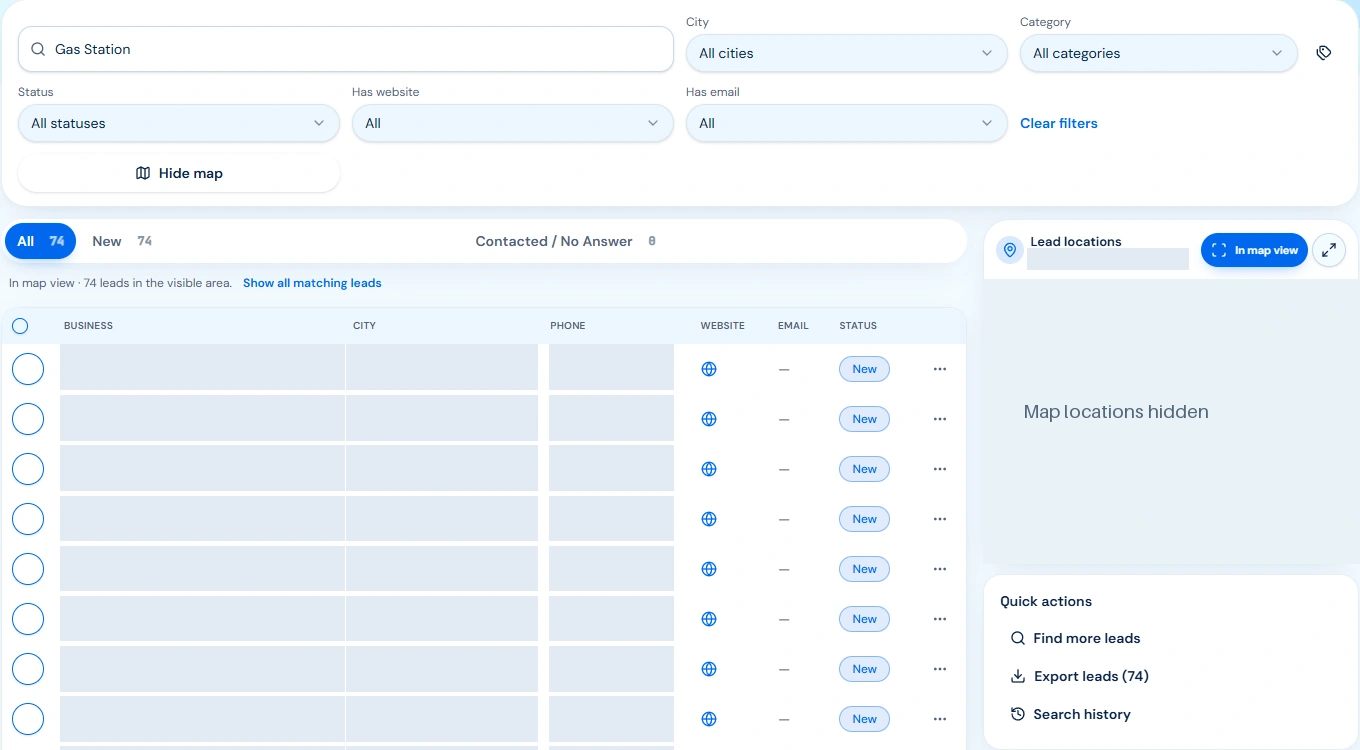
After delivery, businesses appear in your lead workspace. This authentic, privacy-masked gas-station example shows city and status filters, map-view controls, and CSV export.
Read the full local business leads walkthrough for the complete research and qualification process.
Who it's for
Who Uses a Business Lead Finder
- Sales teams. Build territory lists for reps without hours of manual research.
- Marketers. Assemble local audiences for direct mail, email, and call campaigns.
- Wholesalers & distributors. Find the retailers and shops that could carry your products.
- Agencies. Source prospects for clients in specific industries and markets.
- Business owners. Find nearby businesses to partner with, sell to, or supply.
Pricing model
No Subscription. Pay for Delivered Leads.
Buy credits when you need them — one credit per standard delivered lead. When you start a search, credits are held, and you're only charged for leads actually delivered. If a search finds fewer matching businesses than you requested, the unused credits come back to you.
Nothing renews automatically. Ready to purchase? See how buying business leads works, or check current rates and volume pricing on the BusinessLeadSearch homepage.
FAQ
Business Lead Finder Questions
What is a business lead finder?
A business lead finder is a tool that locates businesses matching criteria you set, such as industry and location, and gathers their contact details so you can reach out to them.
How do I target businesses?
Describe the industry or type of business, then choose one or more states, cities, or ZIP codes. Cities and ZIP codes can be combined to cover exactly the areas you want.
What information is included?
Delivered leads include a business name, street address, and phone number. Websites, emails, and category details are included when available; availability varies by business.
Do I need a subscription?
No. You buy credits when you need them and start a search yourself. Searches never renew automatically.
What if the search can't find enough businesses?
You're only charged for leads actually delivered. If a search finds fewer matching businesses than you asked for, unused credits are returned.
Will I get the same business twice?
No. New searches skip businesses you already own, including the same physical location listed under slightly different details.
Can I export my leads?
Yes. Leads stay in your private workspace and can be exported to CSV for your outreach workflow.
Start Finding Business Leads
Pick an industry and a territory, and let BusinessLeadSearch build your list.